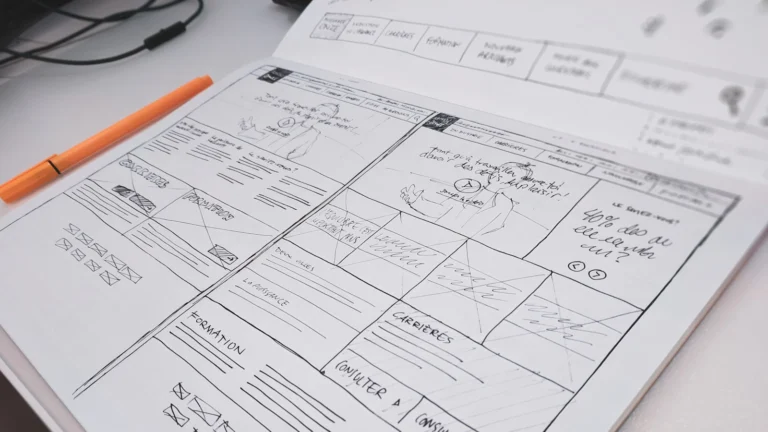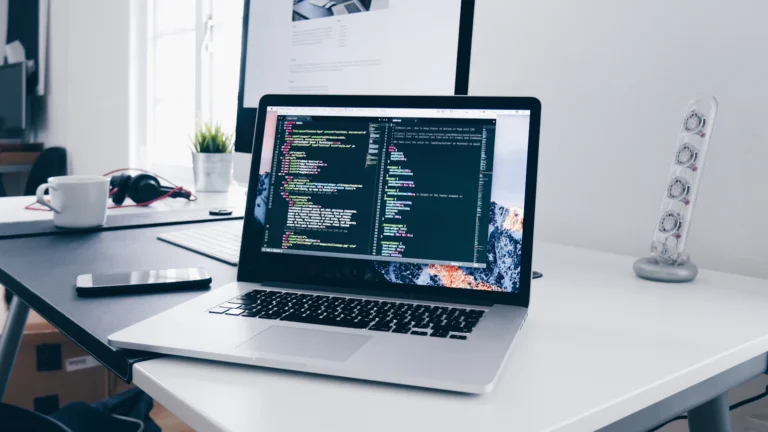

What should you prepare before hiring a WordPress developer? Know what the website needs to achieve, list the pages and features you want, gather your logo, content and photos, collect examples of sites you like, have a budget range in mind, and know who controls your domain and hosting.
You don’t need everything finished. But the clearer your starting point, the more accurate your quotes and the faster your project.
Here’s a simple brief you can put together in an afternoon.
1. Your goals
Start with what the website should do for the business, not how it should look.
- Get more enquiries or quote requests?
- Sell products online?
- Take bookings?
- Build trust so people call instead of choosing a competitor?
- Reduce repetitive phone questions?
Pick one or two main goals. They guide every other decision.
2. Your customers
Write a few lines about who visits your site:
- Who are they, and where are they?
- What do they need to know before contacting you?
- What questions do they always ask?
- Are they mostly on phones?
3. The pages you need
A rough list is enough. For a typical service business:
- Home
- About
- One page for each main service
- Projects, portfolio or case studies
- Frequently asked questions
- Contact
- Blog, if you’ll keep it updated
- Privacy policy
If you serve several cities, note them. Location pages can help local search, as I explain in local SEO for Philippine small businesses.
4. Features
List anything beyond standard pages:
- Contact or quote forms
- Online booking or appointments
- Online shop and payment methods
- Member or client login areas
- Multiple languages
- Integrations: CRM, email marketing, accounting, chat
Mark each one as must have or nice to have. It helps the developer quote options.
5. Content and branding
- Logo, ideally in SVG or a high-resolution PNG.
- Brand colours and fonts, if you have them.
- Text for each page, or notes for a writer.
- Real photos of your team, work and premises. They nearly always beat stock photos.
- Reviews or testimonials you can use.
Content is the most common cause of delays. See how long it takes to build a WordPress website.
6. Examples you like (and don’t)
Collect three to five websites you like, and say what you like about each: the layout, the colours, how easy it is to find things. Add one or two you don’t like and why.
Include your competitors’ sites too. A good developer will help you stand out from them, not copy them.
7. Your existing website and accounts
If you already have a site:
- Which pages get the most visitors and enquiries?
- What do you dislike about it now?
- Do you have Google Analytics and Search Console access?
Also confirm you control the domain and hosting. If you’re not sure, read domain, hosting and DNS explained and check before the project starts.
8. Budget and timeline
Share a budget range. It’s not a trap. It helps the developer suggest the right approach, such as a custom theme or a premium one. See custom theme vs premium theme.
Also share any real deadline, like a product launch or a busy season, and why it matters.
9. Who looks after it afterwards
Decide whether you’ll update the site yourself, or want ongoing help. It affects how the site should be built. A site your team edits weekly needs simpler editing tools than one updated once a year.
Questions to ask developers
- Can I see websites you’ve built and talk to past clients?
- What exactly is included in the quote? What isn’t?
- Who will own the domain, hosting, design and code?
- How do you handle speed, security and backups?
- What happens after launch? Do you offer maintenance?
- How many rounds of revisions are included?
- What do you need from me, and by when?
Their answers should be clear and specific. Vague answers now usually mean surprises later. My website handover checklist lists what you should receive at the end.
When you’re ready, send your brief through my WordPress development page. Even a rough version is enough for me to give you an honest answer on approach, time and cost.
Frequently asked questions
Do I need to have all my content ready before I hire someone?
No, but have a plan for it. Many projects start with design while content is being written. Just know who’s responsible for each piece.
Should I share my budget?
Yes. Without it, developers have to guess what kind of site you want. A range lets them suggest the best option within it.
What if I don’t know what pages I need?
That’s fine. Share your goals and customers, and a good developer will suggest a structure. That’s part of the discovery stage.
Should I hire a freelancer or an agency?
Both can work. A freelancer often means direct contact with the person building your site. An agency may have more people for bigger projects. What matters most is quality, communication and a clear agreement.
About the author
Vincent Earl Panoncial is a WordPress developer and the founder of VEP Studio. He has built and maintained 100+ WordPress websites, most of them at digital marketing agencies, and now works directly with businesses on development, maintenance and webmaster services.
Need a hand with your WordPress site?
Tell me what your website needs and you’ll get a clear plan and an honest answer on cost before any work starts. Get a free consultation →
Featured photo by Scott Graham on Unsplash.